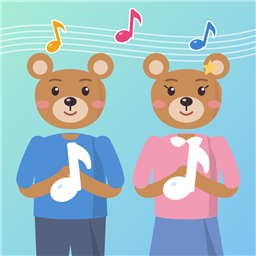
鋼琴老師設計的兒童音樂小遊戲
三個小遊戲各練一種音樂能力:
- 音高辨識:看五線譜上的音,選出唱名和音名(高音譜號、低音譜號)
- 節奏:聽兩小節的節奏,把節奏卡排進五線譜
- 猜猜古典大挑戰:聽一小段古典名曲,猜猜是哪一首
玩遊戲得到的音符點數,可以在熊熊鎮的樂器行買東西,讓學音樂的故事一天一天往前走。
沒有廣告、不需要帳號、不收集任何個人資料。每個小遊戲可以先免費玩 3 次,付一次錢就能解鎖全部。
聯絡我們
遇到問題、有建議,或想找回之前的購買,請寫信到:
chenyouye493@gmail.com
常見問題
換了新手機,要再付一次錢嗎?
不用。用同一個 Apple ID/Google 帳號登入商店,打開 App 的「設定 → 家長專區」(要先按住按鈕 3 秒),按最下面的「找回之前的購買」就可以了。
沒有聲音?
iPhone 切到靜音時,遊戲不會出聲。請把側邊的靜音開關打開,並調大音量。
Music games for kids, designed by a piano teacher
Three games, each training one musical skill:
- Note Reading: name the note on the staff, in solfège and letter names (treble and bass clef)
- Rhythm: listen to two bars and arrange rhythm cards on the staff
- Guess the Classic: hear a short excerpt and guess the famous classical piece
Points earned in the games buy things at the Bear Town music shop, and the story moves forward day by day.
No ads, no account, no personal data collected. Each game has 3 free rounds; one purchase unlocks everything.
Contact
For help, feedback or restoring a purchase, email:
chenyouye493@gmail.com
FAQ
I got a new phone. Do I have to pay again?
No. Sign in to the store with the same Apple ID or Google account, open Settings → For parents in the app (press and hold the button for 3 seconds first) and tap "Restore your purchase" at the bottom.
No sound?
When the iPhone is on silent, the app stays silent. Turn off the silent switch and raise the volume.